Management Reports
You can generate the following management reports in Lenda.
- Clients Report
- Loans Report
- Credit Report
- Payments Report
- Expected Payments Report
- Montly Report
- Top Borrowers Report
- Disbursement Report
- Loan Product Report
- Fees Report
- Loans Officer Report
- Daily Report
- PAR Report
- Audit Trail Report
To view, generate management reports, the user needs to have permissions.
All management reports can be exported to Excel or CSV.
Clients Report
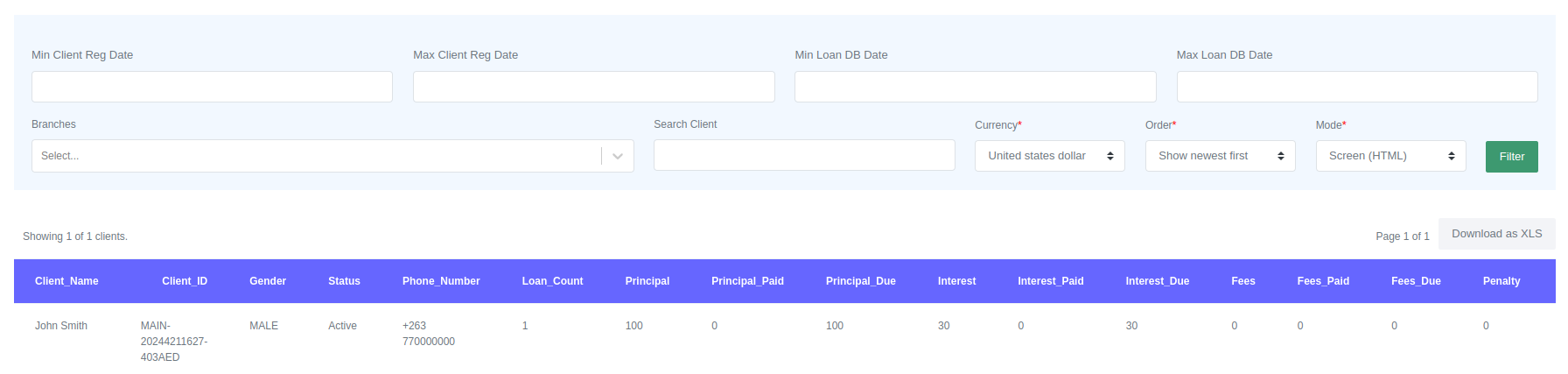
This report aggregates all the client loans, payments, penalties, and fees information. You can check the overall payments and balances of each client on this report. To view the report, select the currency and other filters that you wish to apply.
Loans Report
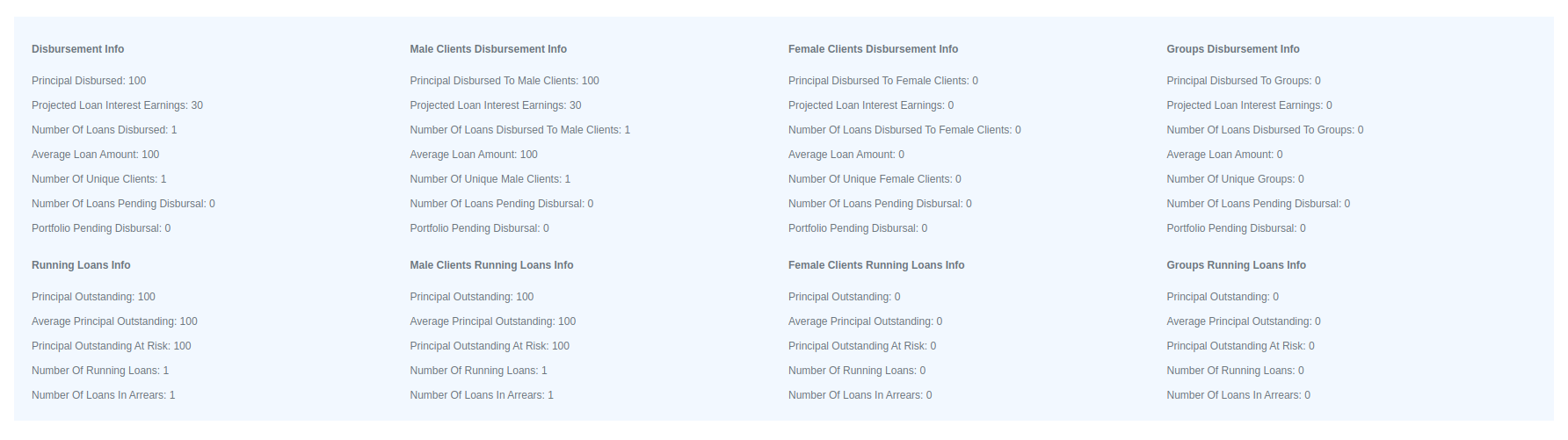
This report aggregates all the loans information for the selected period. It segregates the information into the following categories: disbursement, running loans, male clients disbursement, female client disbursement, male clients running loans, female clients running loans, group disbursement, and group running loans. The information is provided as a summary. To view the report, select the date range, the currency and other filters that you wish to apply.
This report also aggregates information about loans, including payments, penalties, and fees. You can check the overall payments and balances of each loan on this report.

Credit Report
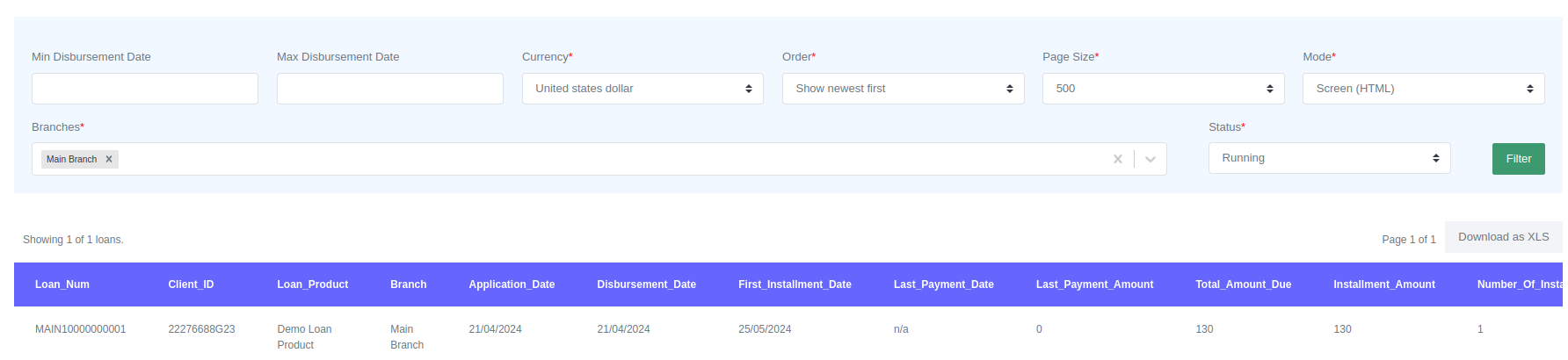
This report provides a summary of a client's credit history on a particular loan. It includes the installment dates, the last payment date and amount, and other relevant information about the terms of the loan. The report is designed to help management quickly identify loans that missed installments and their payment history.
Payments Report
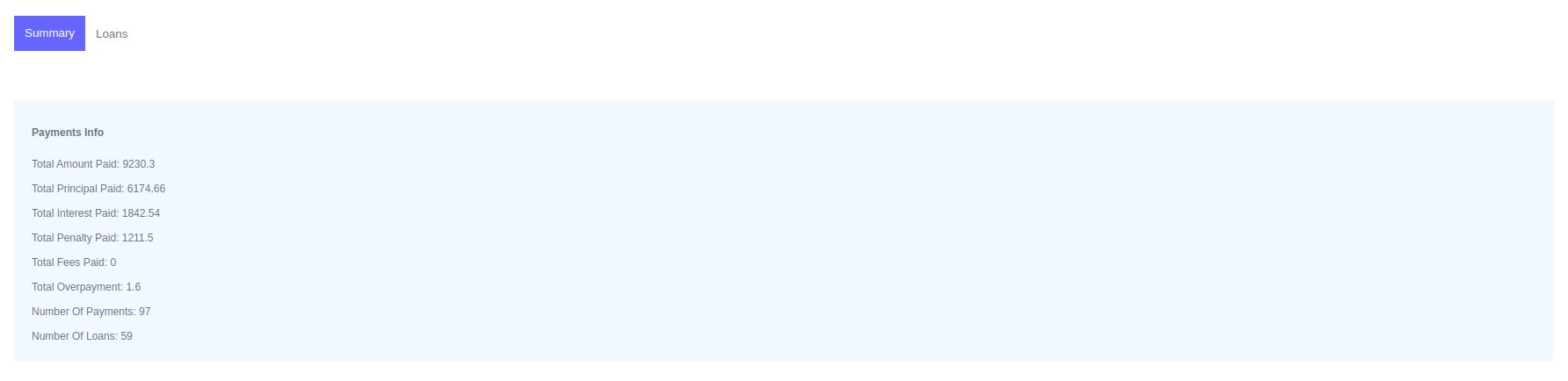
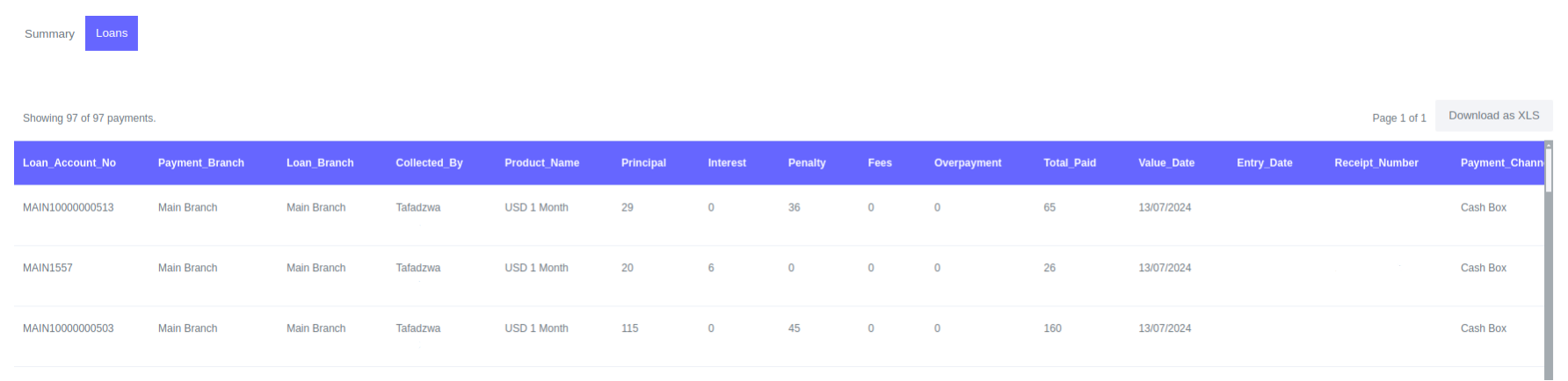
This report provides detailed information about payments received in a certain period. It includes the total amount received, the number of payments recorded, and the principal, penalty, fees, and interest received during that period. The report also includes a list of loans that received payments during that period, along with details about the account that received the payment, the loans officer who recorded the payment, and the distribution of the payment.
The report can be filtered by various criteria, including payment branch, payment fund account, loan fund account, and so on.
Expected Payments Report
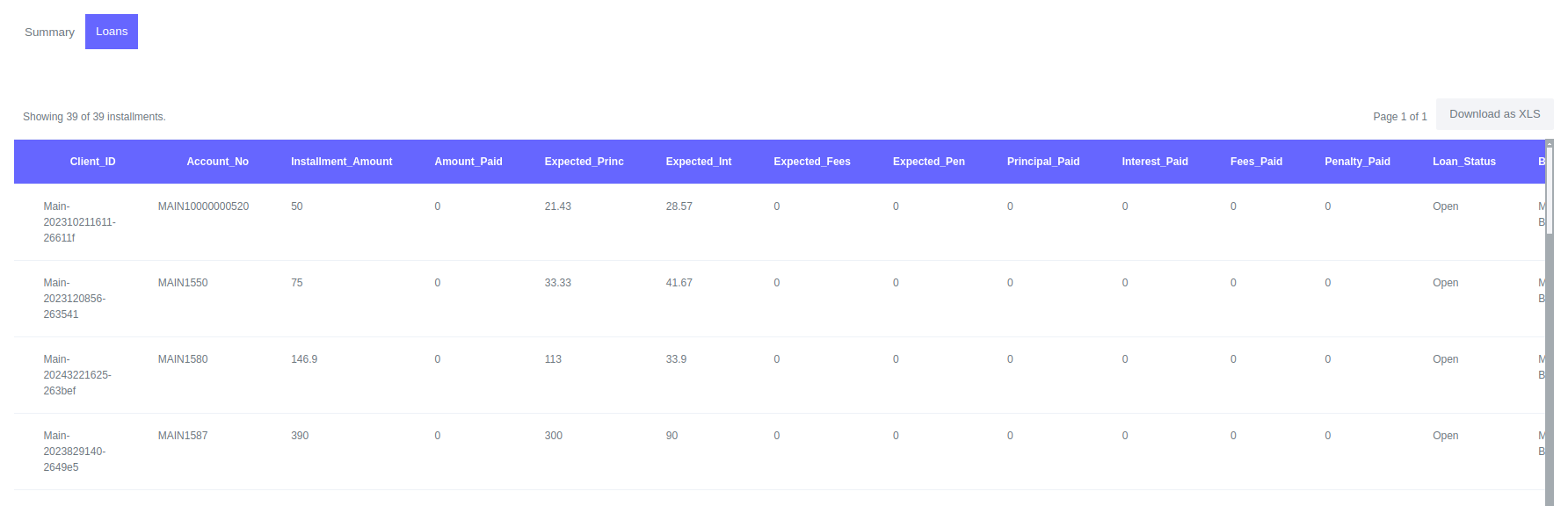
This report provides detailed information about expected payments in the selected date range. You can use the report to view expected payments in the future dates or to compare expected payments and the actually payments received in the past.
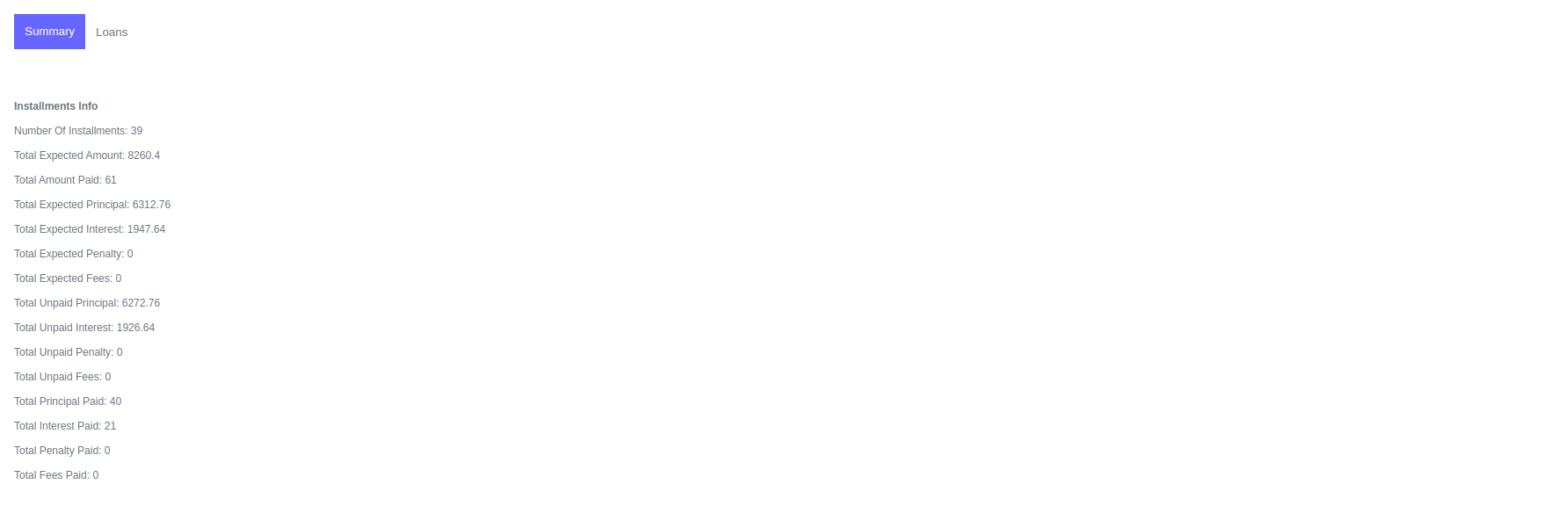
This also gives a summary of the installments and their payment distribution. A list of expected payments is also provided, which gives more information about the installment.
Montly Report
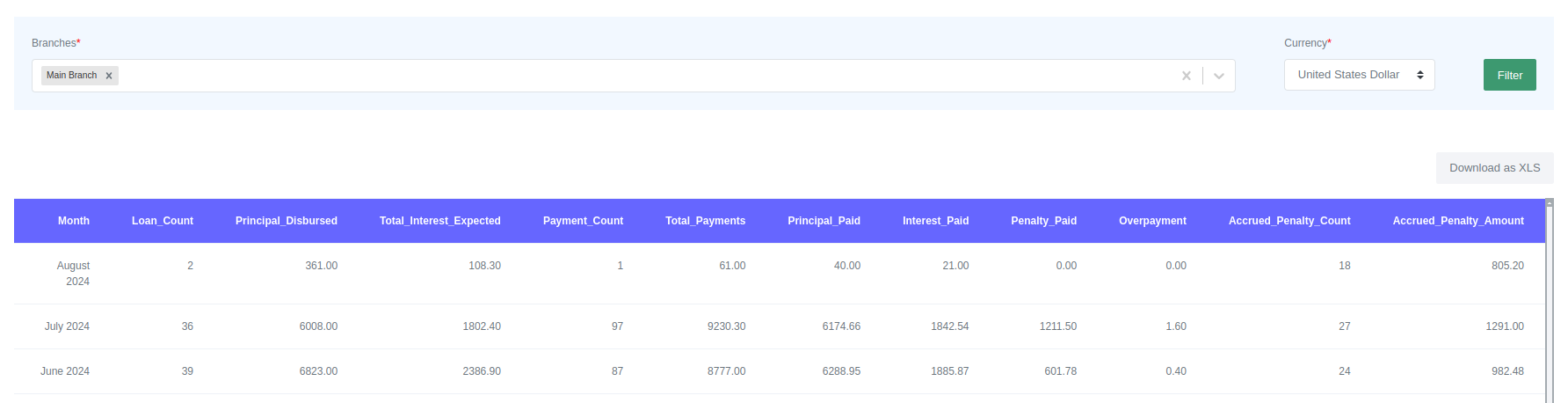
This report provides information about the loan-related activities that occurred in each month. It gives information about the total number of loans disbursed, principal disbursed, expected interest, payment count, total payments and their distribution, penalties, and fees accrued. It consolidates all the information about the organization's main operation in one place. To view the report, select the branch or select all to view all branches and select the currency.
Top Borrowers Report
This report provides information about the top borrowers in the organization. The clients' names are listed starting with the top borrower and ending with the least borrower. The report outlines the branch of the borrower, the total principal borrowed, and the total outstanding principal. To view the report, select the disbursement date range, currency, and branch you want to view. To view a consolidated report, select all branches.
Disbursement Report
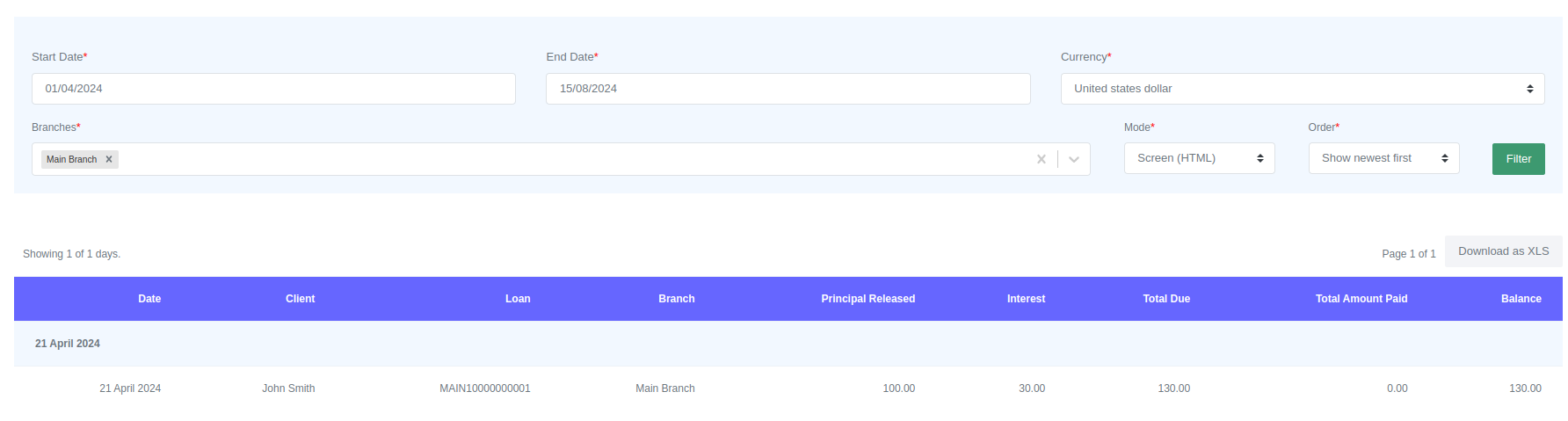
This report provides information about loans disbursements. It lists all the loans that were disbursed on each and every trading day in their format. The report outlines the client name, loan ID, branch, principal disbursed, interest, and balances. To view the report, select the date range, currency, and branch. To view a consolidated report, select all branches.
Loan Product Report
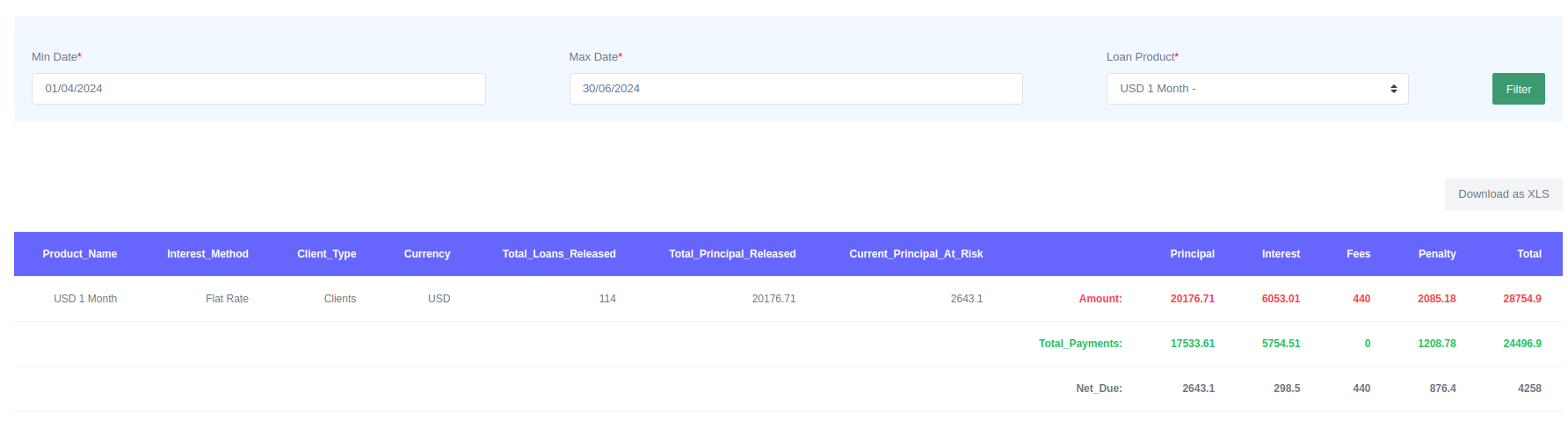
This report is used to measure the performance of a loan product. The report provides information on the total number of loans released, the total principal released, and the current principal at risk. It also provides the total amount due from principal, interest, penalty, fees, payments made, and net due.
To view the report select the date range and the product you want to view.
Fees Report
This report provides detailed information about fees received in a certain period. It provides a list of fees and total fees paid for the selected period. It also provides a list of loans that have fees that are paid, with the fee name and amount provided.
To view the report select the date range, currency and branch. To view a consolidated report, select all branches.

Loans Officer Report
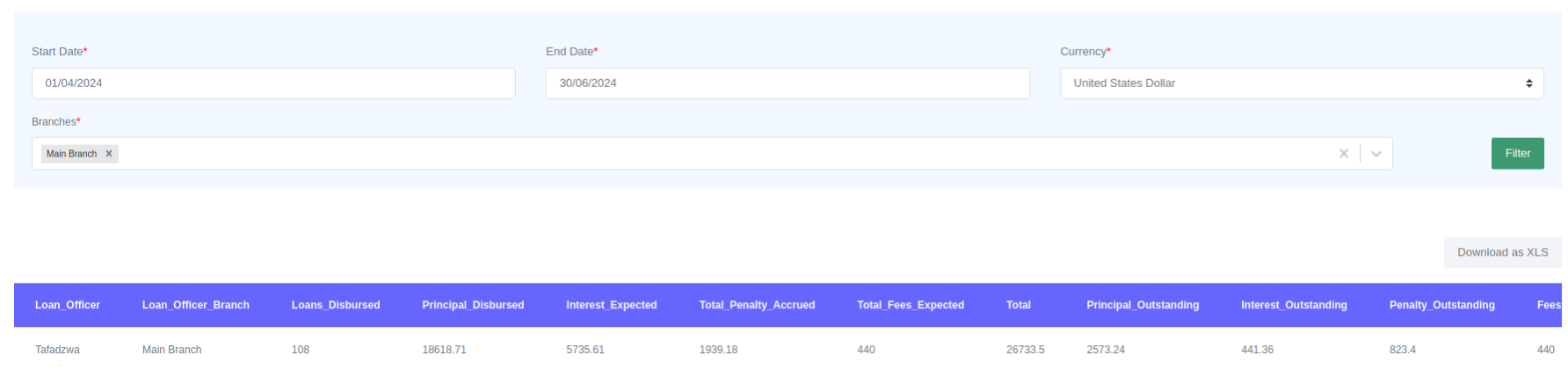
This report provides information about the performance of loan officers. It outlines information about the total number of loans disbursed, the total amount of principal disbursed, interest expected, penalties accrued, expected fees, outstanding principal, outstanding interests, loans in arrears, principal at risk, and other relevant metrics.
To view the report select the date range, currency and branch. To view a consolidated report, select all branches.
Daily Report
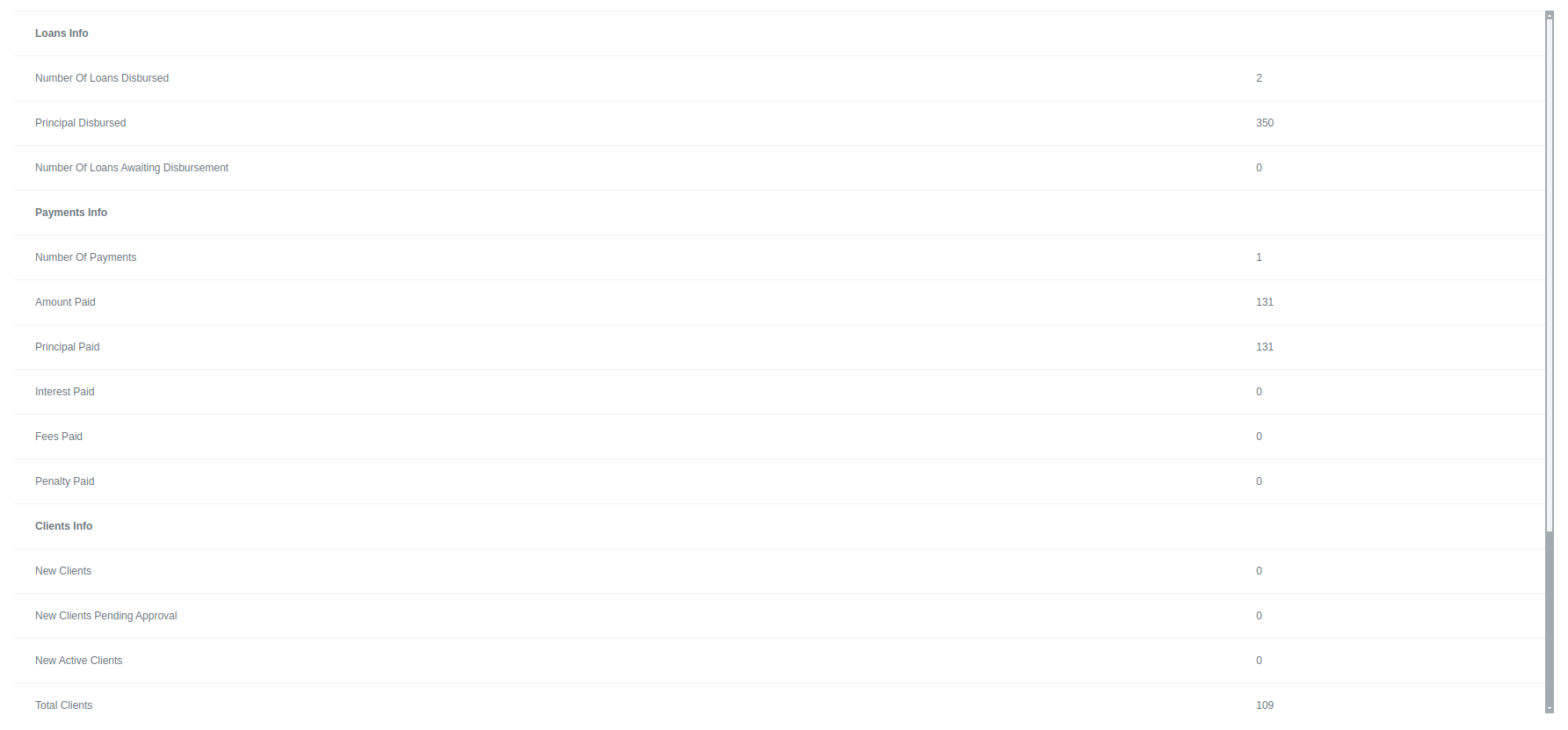
This report contains information about all loan-related activities that occurred on a particular day. The report includes information about loans, payments, and groups.

PAR Report and Ageing Analysis
This report calculates the Portfolio at Risk (PAR) of a selected portfolio of loans. PAR is a measure used by organizations to track the credit risk of a portfolio of loans. The report is flexible to use as it allows a user to create a par report for his/her selected range. It doesn't limit the user to traditional PAR 1, PAR 30, PAR 60 or PAR 90 reports only but it allows the user to view any range they deem necessary.
To generate the report:
- click on "Add New" button.

- Add the details of the Par report you want to generate in the form. You can select the branch, all branches for a consolidated report. Select the currency, PAR limits, client type or group type.
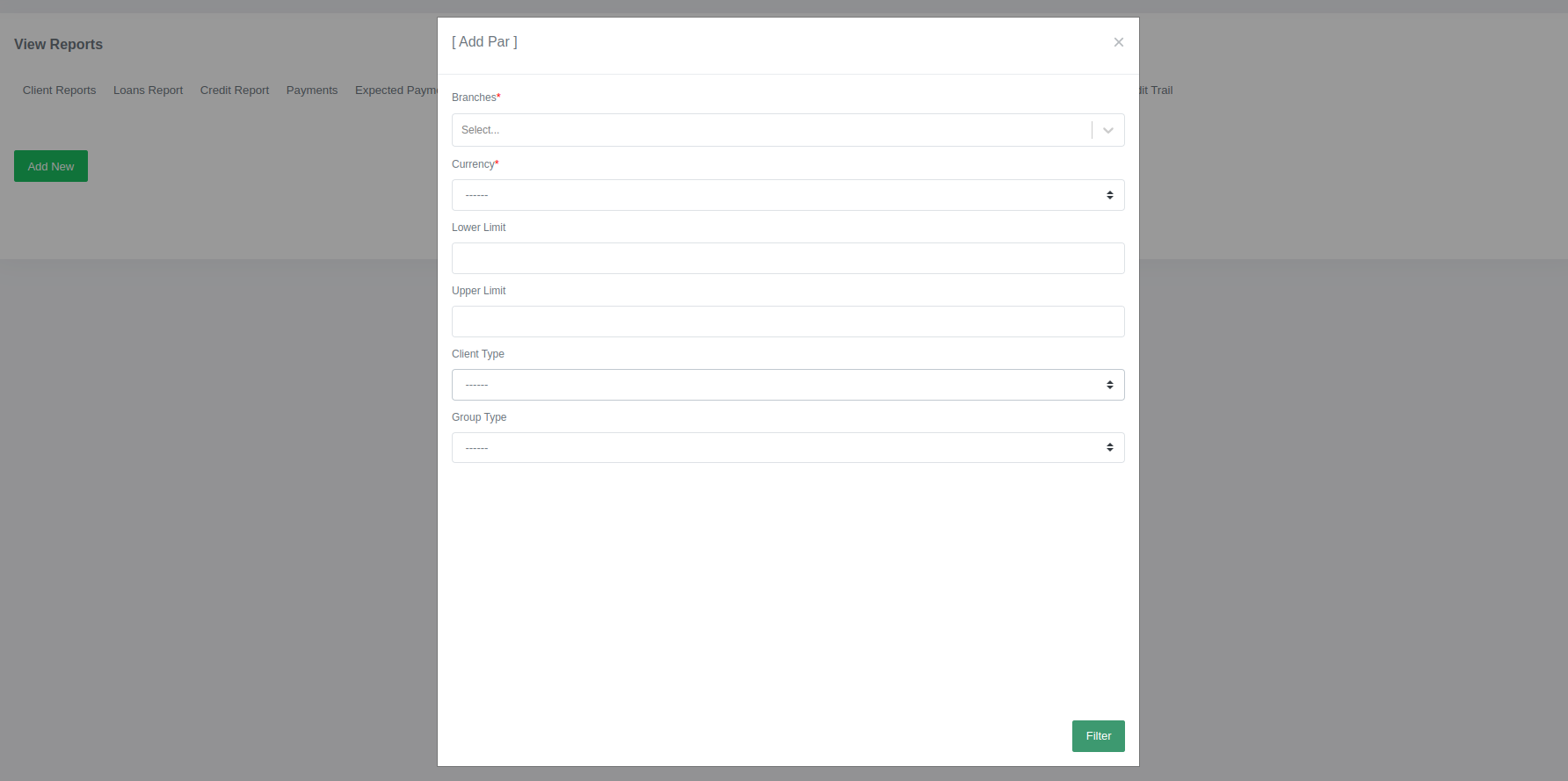
- Click submit.
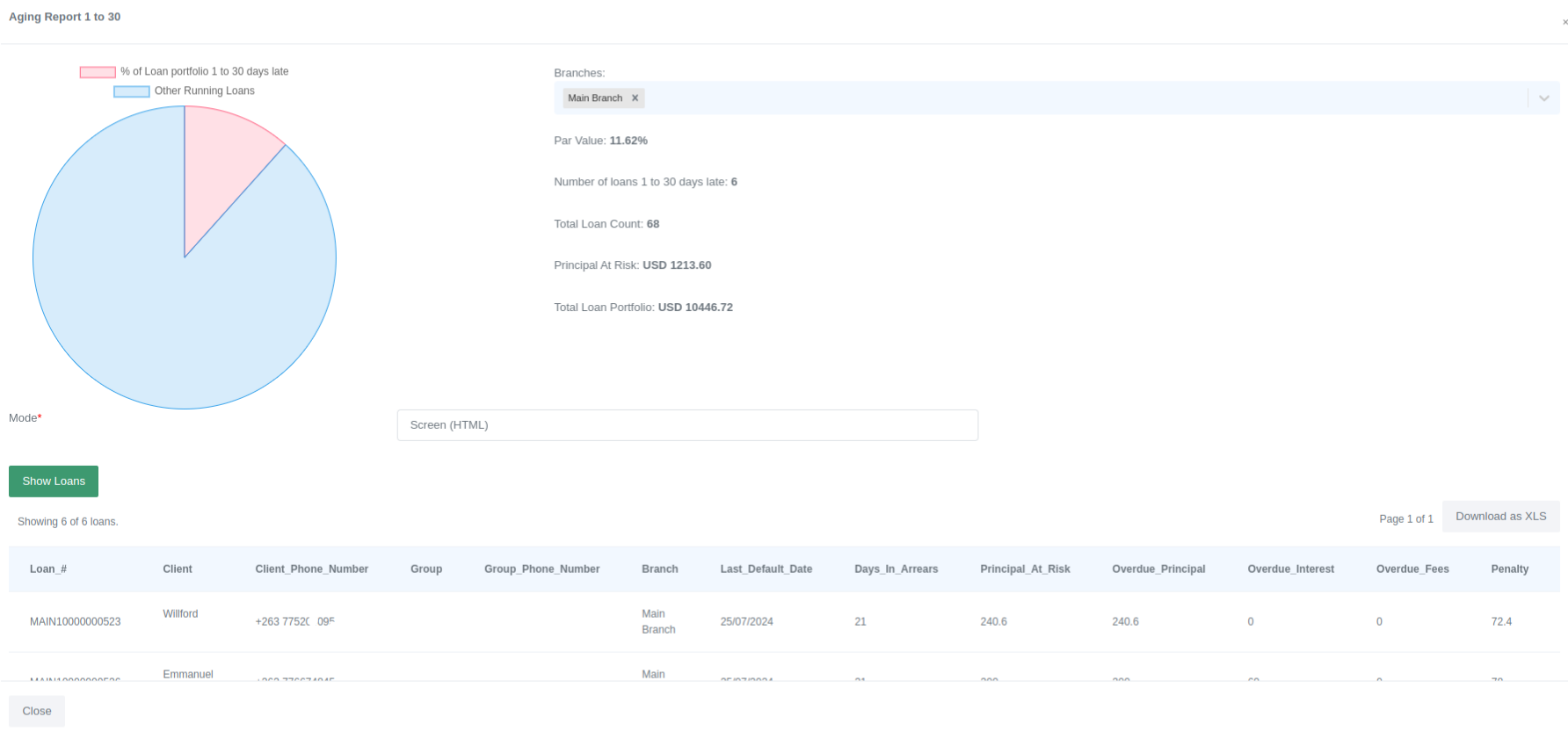
The generated PAR report will show the PAR value as a percentage, number of loans late, total loans late, principal at risk and total loan profolio.

To view the ageing report, click on the generated par report. The system will then generate the ageing report, which will provide a chart showing the portfolio at risk and other information about the generated PAR report that have already been provided. A list of loans in arrears will also be displayed with their outstanding balances. Each loan will display the days in arrears the loan has been. To view the list of loans, click on the "Show Loans" button.
Audit Trail Report
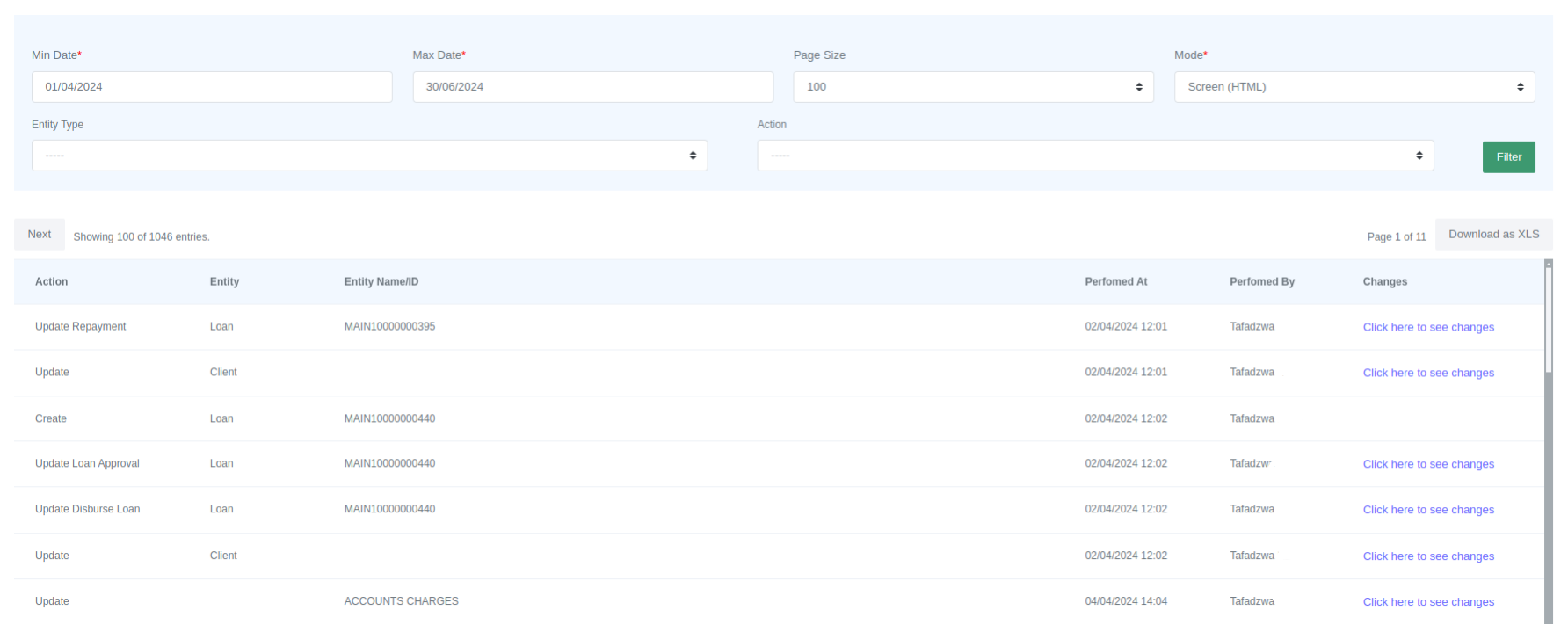
The Lenda system has an audit trail that tracks changes and user actions. You can filter the actions by entity (loan, client, etc) or by action (create, delete, update). To view the report, select the date range.
To view the changes that have been made, click on the link provided in the audit trail table.