Journal Entries
Journal entries are the records of transactions in your organization books. In double-entry bookkeeping, you make at least two journal entries for every transaction.
When a client-related transaction occurs, the system automatically logs it to the appropriate general ledger account. The same is true for expenses and other income transactions that are created in their respective modules. However, other transactions, such as account reconciliations or asset depreciations, must be entered manually.
Real-time journal entries logged by the system allow you to generate real-time reports that make it easier to see if the organization's books are balanced.
Automatic journal entries
Loan transactions that generate automatic journal entries are:
- Disbursement
- Disbursement reversals
- Repayment
- Repayment reversals
- Refund
- Penalty Applied
- Penalties Applied reversals
- Fees Applied
- Fees Applied reversals
- Interest Applied
- Interest Applied reversals
- Write-Off
- Write-Off reversals
Manual journal entries
To create a manual journal entry:
- Go to Accounting > Journal Entries > Journals.
- To open the form, simply click on the "Add Journal" button.

- Enter all the information required in the form.
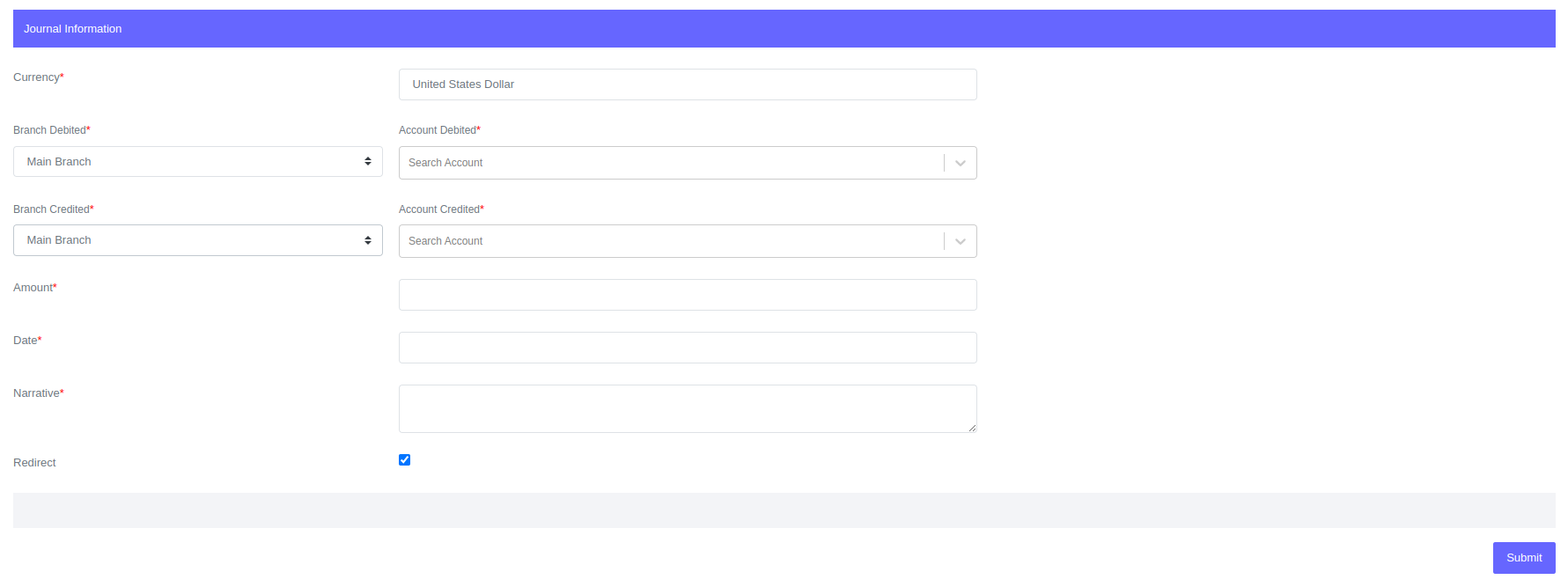
- Click Submit.
Fields for Journal
| Field | Description |
|---|---|
| Currency | Select the journal currency |
| Branch Debited | Branch to be debited when the journal is created |
| Account Debited | Account to be debited when the journal is created. |
| Branch Credited | Branch to be credited when the journal is created |
| Account Credited | Account to be credited when the journal is created. |
| Amount | Transaction amount. |
| Date | Transaction date. |
| Narrative | Journal description. |
Value Date vs Logged Date
The value date is the day the transaction occurred, such as the loan disbursement date or the day the expense occurred. The logged date refers to the day the transaction was recorded in the system.
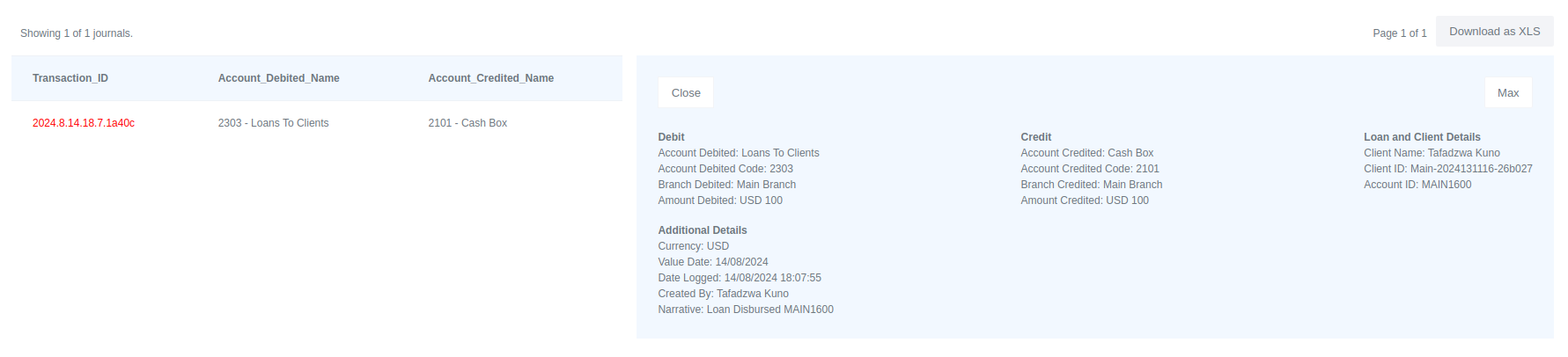
The journal above indicates that the transaction was recorded in the system on August 14, 2024, at 18:07:55 which is the date logged. The transaction occurred on the same day therefore the value date is August 14, 2024. If the transaction had occurred on a different date, that date would have been recorded on the value date. The logged date is kept to help during audits in case some of the accounts were backdated.