Managing Groups
This page provides instructions on how you can manage a group once created. Once the group is created, you can visit the group profile to continue managing the group. For more information about creating a group, see Creating Group.
To view a group profile go onto Groups>View Groups. On View Groups filter based on your preferences and click the Group_ID to view the profile of the group. 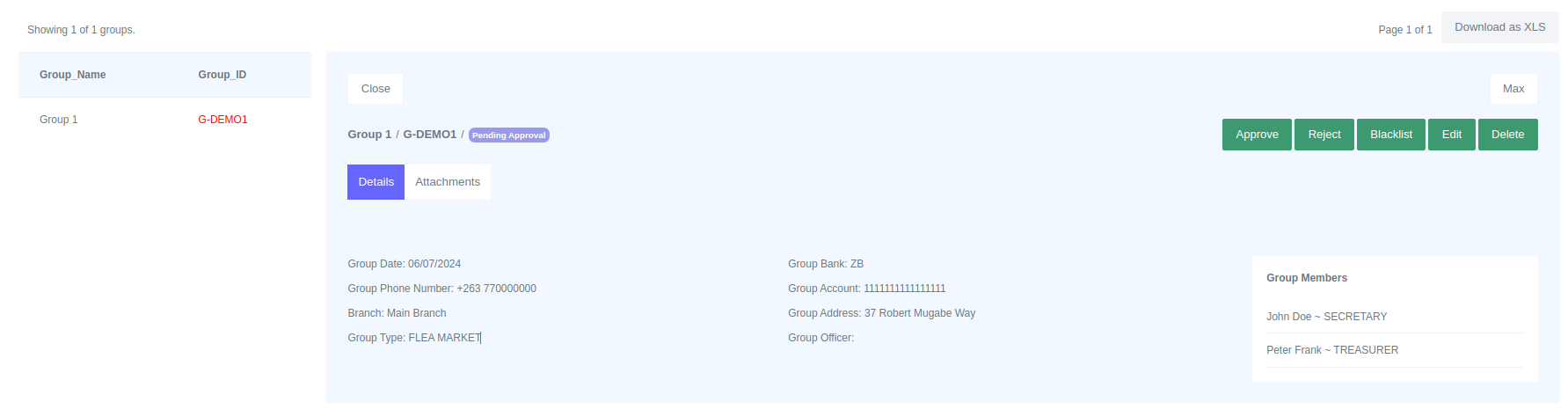 .
.
To view group profile on full screen client on "Max" button.
Editing a group
Only groups in Pending Approval state can be edited. To edit a group:
- Go to a group profile.
- On top right click the "Edit" button.
- Make the changes.
- Submit.
Deleting a group
To delete a group:
- Go to a group profile.
- On top right click the "Delete" button.
- Confirm and Submit.
Please Note
Groups that have loans associated to them cannot be deleted.