Group Controls
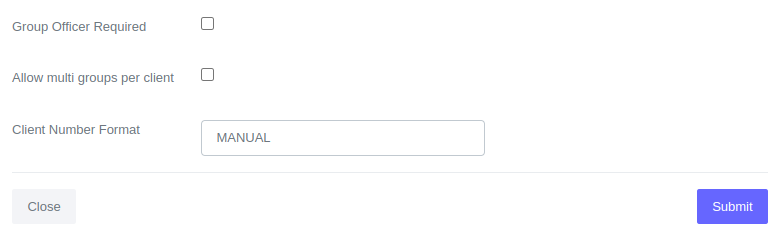
Group controls just like client controls assist in regulating the type of data permissible within the system. Listed below are the various options available.
New Group Initial Status
Select the initial status for new groups. There are two options available:
- Pending Approval - Select this option if you require group approval before they can open loan accounts.
- Inactive - Select this option if you wish to bypass the group approval process, which is suitable when the person entering group data is also responsible for approving the group.
Allow Multi Groups per Client
Specify whether a client should be allowed to be in more than one group.
Group Officer Required
Specify whether a group should be assigned to a group officer upon creation.
Maximum Group Size
Specify the maximum number of members allowed in each group upon creation.
Minimum Group Size
Specify the minimum number of members allowed in each group upon creation.
How to Configure Group Controls
-
Choose 'Admin' from the main navigation bar.

-
Choose 'Manage Clients / Groups' from the Admin navigation bar.

-
Choose 'Client / Group Controls' if not selected already from the Manage Clients navigation bar.

-
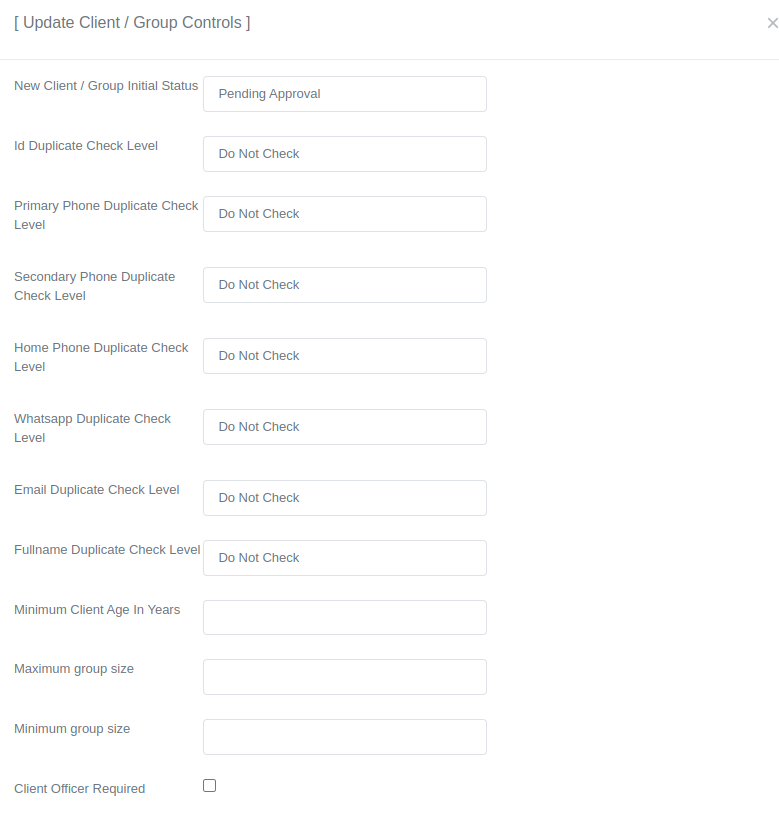
Click on the 'Update Controls' button to access the controls form.

-
After opening the controls form, locate the setting that requires modification and update its value accordingly.
-
After updating, scroll down and click "Submit" to save.