Group Types
This page provides instructions on how to create, modify, and remove group types. During the creation of a group, the group should be assigned a group type. You can create as many group types as needed. All existing group types will be listed under the "Group Types" section.
Creating Group Types
How to create a new group type:
- Go to Admin > Manage Clients / Groups > Group Types.
- To open the form, simply click on the "Add Group Type" button.
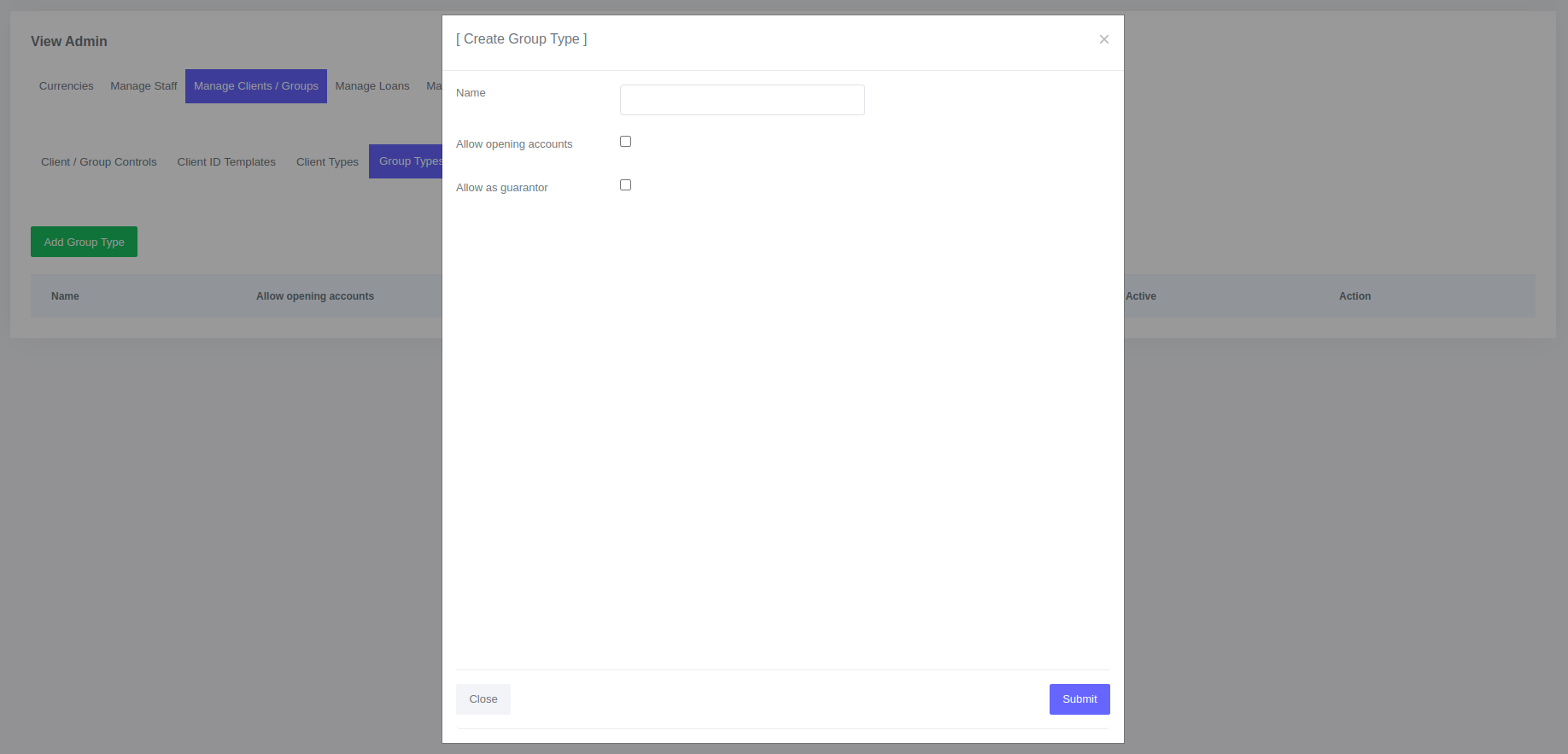
- Enter the information required in the form.
- Click Submit
Once you have created a new group type it will be available in the table of group types. 
Fields for Group Types
| Field | Description |
|---|---|
| Name | Name of the group type e.g. Flea Market, etc.. |
| Allow opening accounts | By selecting this option, the group type will have the ability to open loan accounts. |
| Allow as guarantor | The selection of this option determines whether a group with this group type can be assigned as a guarantor for a loan. |
Editing and deleting group types
To edit or delete a group type:
- Go to Admin > Manage Clients / Groups > Group Types.
- In the table, you can click on "Edit" or "Delete" for the specific Group Type you wish to modify or remove.

Please Note
Group types that are currently in use cannot be deleted.