Loan Fees
Loan fees can be added on a loan product or on a loan that has already been created.
Creating loan fees
To setup loan fees:
- Go to Admin>Manage Loans>Loan Fees.
- To open the form, simply click on the "Add Fee" button.
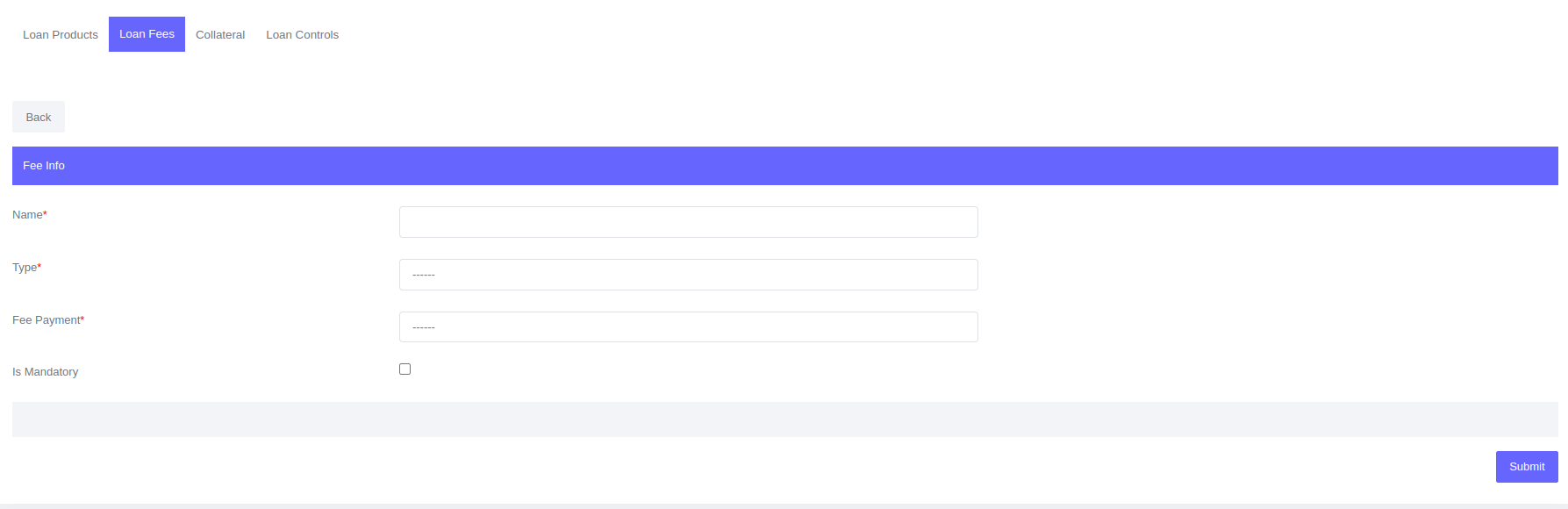
- Enter all the information required in the form.
- Click Submit.
Fields for Loan fees
| Field | Description |
|---|---|
| Name | Loan fee name e.g admin fee, processing fee etc.. |
| Type | Type of loan fee, explained in greater detail below accounts. |
| Fee Payment | Usually flat payment or percent based. Field select options dependant on fee type field |
| Is Mandatory | If fee required or optional |
Loan fee type
Deducted
The client will receive less money on disbursement because the deducted fee is subtracted from the approved principal amount. The repayment will be made on the total principal applied.
Deducted fees calculation options are:
- Flat fee - It can be any flat amount.
- % of DB Amount - Percentage of the approved amount.
Capitalized
Capitalized fees are added to the approved principal amount on disbursement. This means that the fees are financed by the lender and must be included in the client's repayment.
Capitalized fees calculation options are:
- Flat fee - It can be any flat amount.
- % of DB Amount - Percentage of the approved amount.
Upfront disbursement
Upfront disbursement will be applied on the loan immediately after it has been disbursed. The fee will be paid alongside future payments.
Payment due
Payment due fees are calculated in advance and added to the loan repayment schedule, along with the interest and principal due with each installment.
Payment due calculation options are:
- Flat fee - This fee can be applied to all installments in the schedule in advance. The fee can be a flat amount for all loans under the loan product configured with this fee.
- Flat/Installments - The fee will be charged on each installment in equal amounts.
- % Of DB Amount - Percentage of the approved amount.
- % Of DB Amount/Installments - Fee to be be charged for each installment on disbursement. The fee is calculated as a percentage of the approved loan amount divided by the number of installments
Manual fees
There are certain events that can trigger manual fees on a loan. These events cannot be planned or predicted, and therefore the fee can be applied to a loan at any time.
Manual fees calculation options are:
- Flat fee - It can be any flat amount.
- % of DB Amount - Percentage of the approved amount.
To add manual fees:
- Go to Loans>View Loans.
- To open the loan profile, click on the loan number and click the "Add Fee" button.

Arbitrary fees
Arbitrary fees are manual fees that can be applied to a loan at any time during its life cycle. The fee amount is not pre-set, and can be any amount. The difference between a manual fee and an arbitrary fee is that a manual fee is pre-defined, meaning it has a pre-set name and amount that the user can't change when applying the fee. Arbitrary fees are not pre-defined, and are therefore flexible. You can enter any amount and any fee name when you enter them.
To add arbitrary fees:
- Go to Loans>View Loans.
- To open the loan profile, click on the loan number and click the "Add Fee" button.
Reversing fees
Only Manual and Arbitrary fees can be reversed.
To reverse fees, go on the loan profile of the fee you want to reverse, click the Fees tab and click the "Reverse" button. A confirmation dialog box will appear. Click "Reverse" in the dialog box to confirm the reversal.