Creating a New Loan
When a loan is created in the system, it is associated with a loan product. The terms set on the loan product will be the terms for the new loan. To set up a loan product, see Creating New Loan Products.
Common Fields
There are fields that are present in all loan application forms.
| Field | Description |
|---|---|
| Client Guarantor | Guarantee's a client loan in case of default |
| Group Guarantor | Guarantee's a group loan in case of default |
| Interest Rate | loan interest charged. Interest constraints are shown to guide the user |
| Application Date | The day the client applied for the loan |
| Number of Repayments | Number of installments on the loan |
| First Repayment Date | First day we expecting the client to pay |
| Default Loan Schedule Strategy | Determines the dates to be used for the loan schedule |
| Reason For Loan | Select field for reason for loan |
Creating a New Individual Loan
To create a new loan:
- Go to Loans > Add Loan.

- To open the whole form, simply select the loan product that is associated with the loan you want to create.
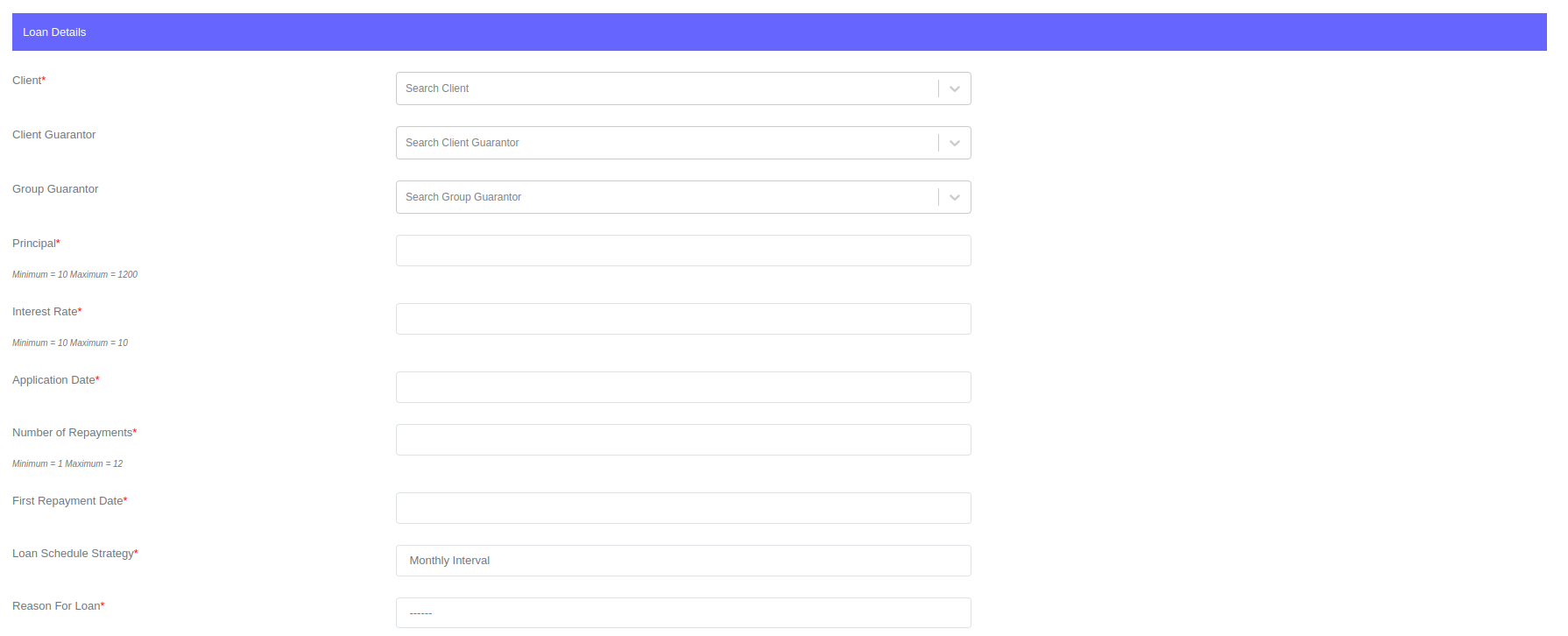

- Enter all the information required in the form.
- Click Submit.
You can search for the client you want to issue the loan to by typing the client's name in the client search field. The system will display a list of clients that match your search criteria. Select the client you want to issue the loan to
Loan fees
If the loan product you select has fees associated with it, they will be displayed in the fee section of the loan application form.

If you don't want a fee to be applied to a loan, you can click the "Remove Fee" button to remove it. The system will automatically calculate the fees for each loan.
The "Remove Fee" button will only be available if the fee is not set as required. If the fee is set as required, the button will not appear.
For more on loan fees, see Loan fees.
Creating a New Pure Group Loan
To create a pure group loan, follow the same instructions as for an individual loan. The only difference is that when you select a pure group loan product, the system will display a group field instead of the client field. You can then search the group field for the group you want to issue the loan to.

Creating a Solidarity Group Loan
To create a solidarity loan, select the solidarity loan product associated with the loan you want to create.
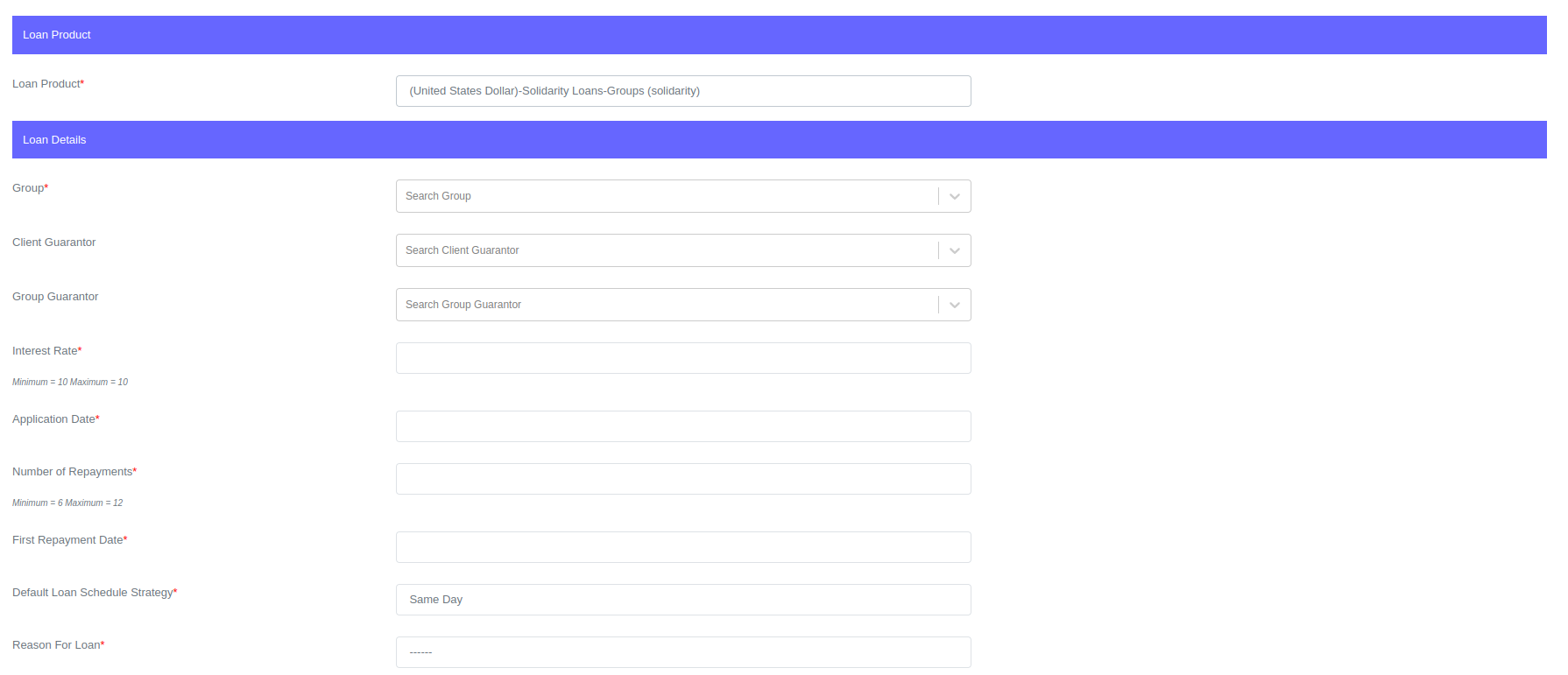
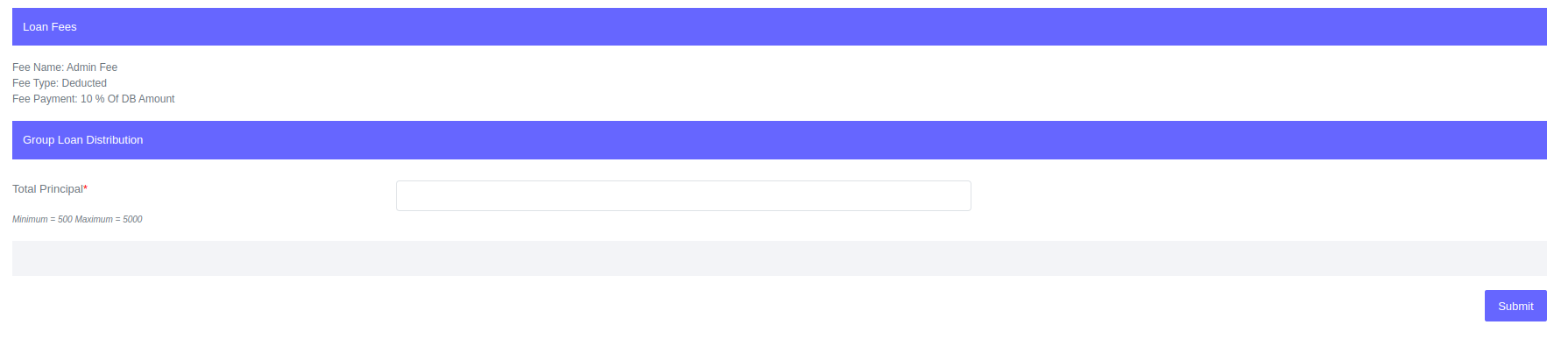
The only difference between the pure group loan application form and the solidarity loan application form is that the principal field is not under the loan details section but under the group loan distribution section. If the solidarity loan has fees, the fees section will show the fees to be applied; otherwise, the fees section will be blank.
The group loan distribution section will only display the total principal field until a group is selected. Once a group is selected, the group loan distribution will show the total principal field and the groups members principal allocation fields.
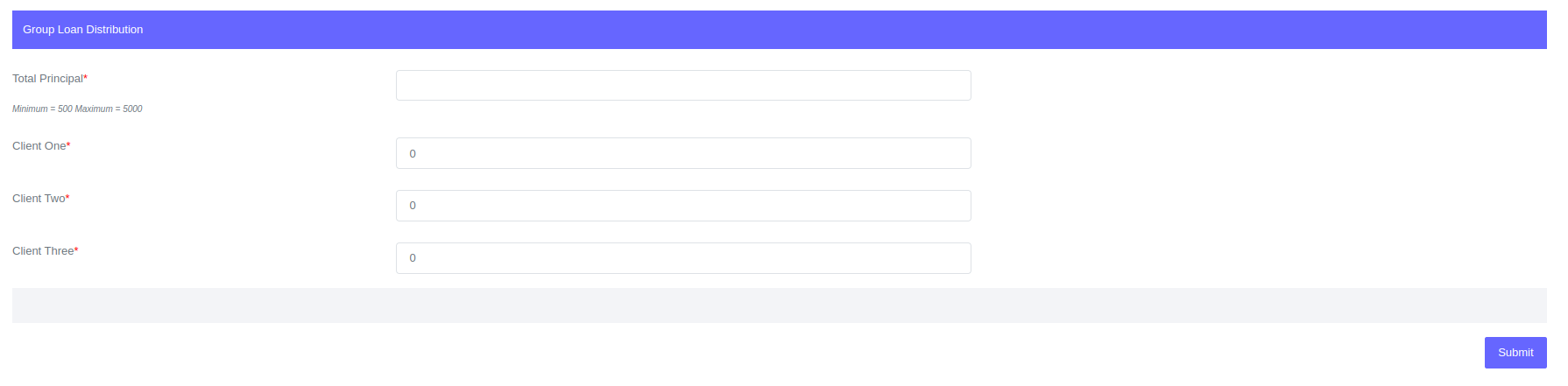 The amount to be allocated to each individual will be entered on each member's field. The total principal will also be entered. For the form to submit, the total principal should match the total sum of all group members' distributions.
When a solidarity group loan is created, the system will create subloans for each member of the group. These subloans will be used to track each member's balances and activity under the solidarity group loan.