Managing Loan Products
This page provides instructions on how to manage loan products are creation.
Editing loan products
When a loan product is edited, the changes only affect new loans that are created after the edit. The edit has no effect on loans that were created before the edit.
To edit loan product:
- Go to Admin > Manage Loans > Loan Products.
- On the list of loan products displayed click the loan product #.
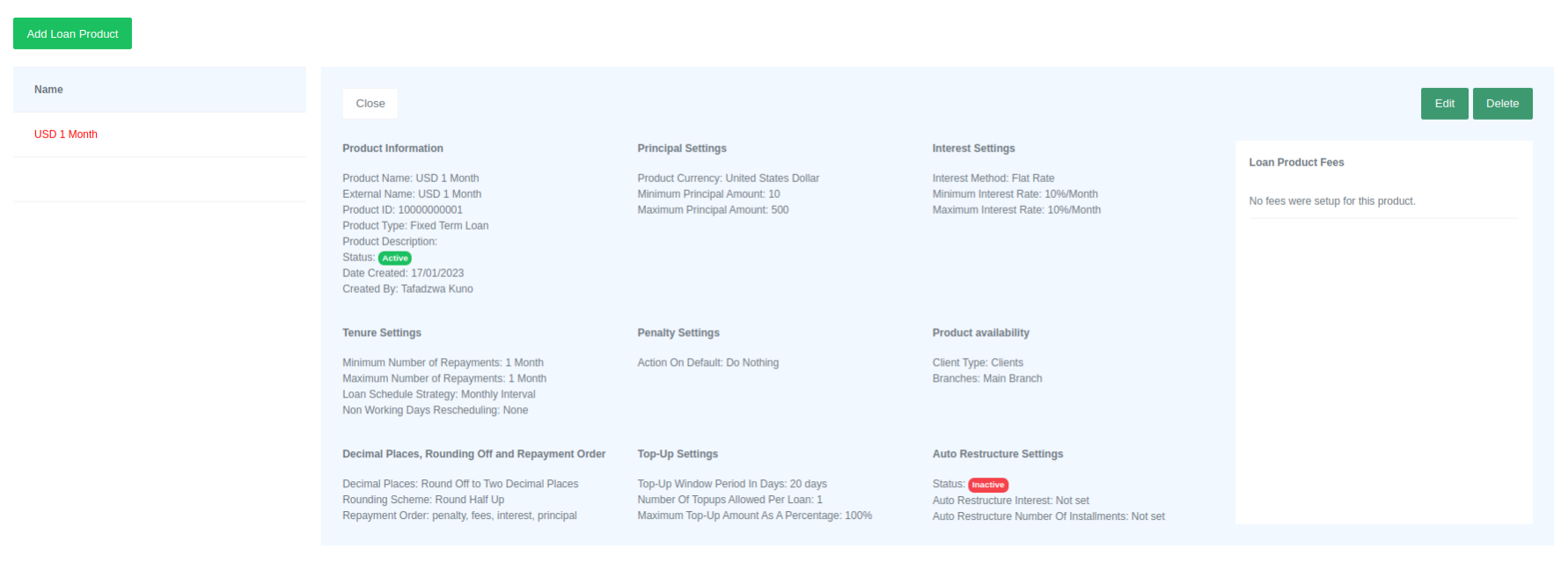
- To edit click on "Edit" buttom.
- Click Submit to save changes.
Please Note
When loan product status is Active the loan product is available to clients. To change status just edit the product.
Deleting loan product
To delete loan product:
- Go to Admin > Manage Loans > Loan Products.
- On the list of loan products displayed click the loan product #.
- To delete, click the "Delete" button. A confirmation dialog box will appear. Click "Delete" in the dialog box to confirm the deletion.
Please Note
Loan product that is currently in use cannot be deleted.