Solidarity Loan Repayments
Lenda system only supports single payment on solidarity loans. To add a payment:
- Go to Loans>View Loans.
- Filter the solidarity loan you want to add payment to , in the table, you can click on "Loan Number" to open the details of the loan.
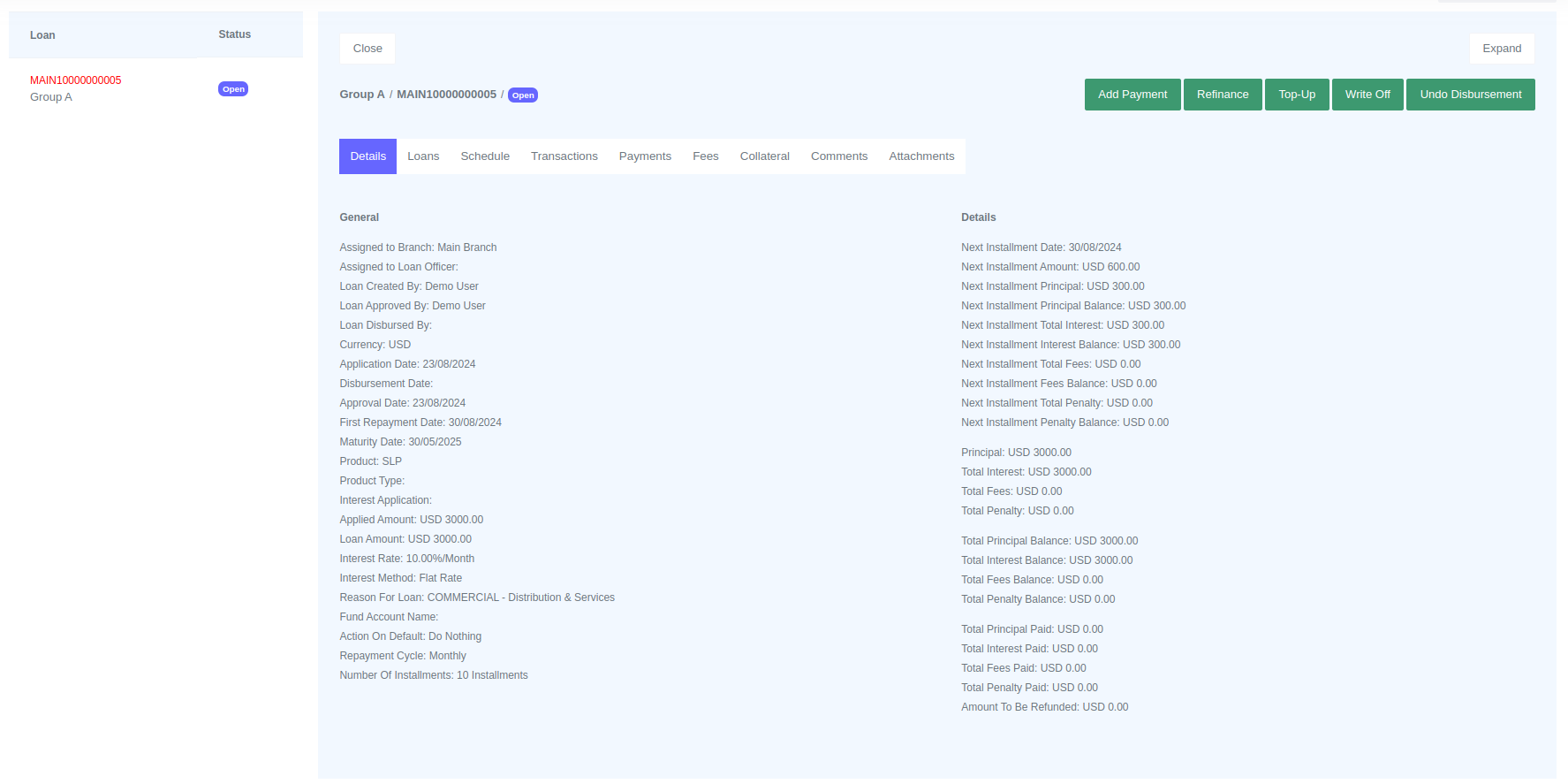
- Click the "Add Payment" button and a form will be opened for you to fill.
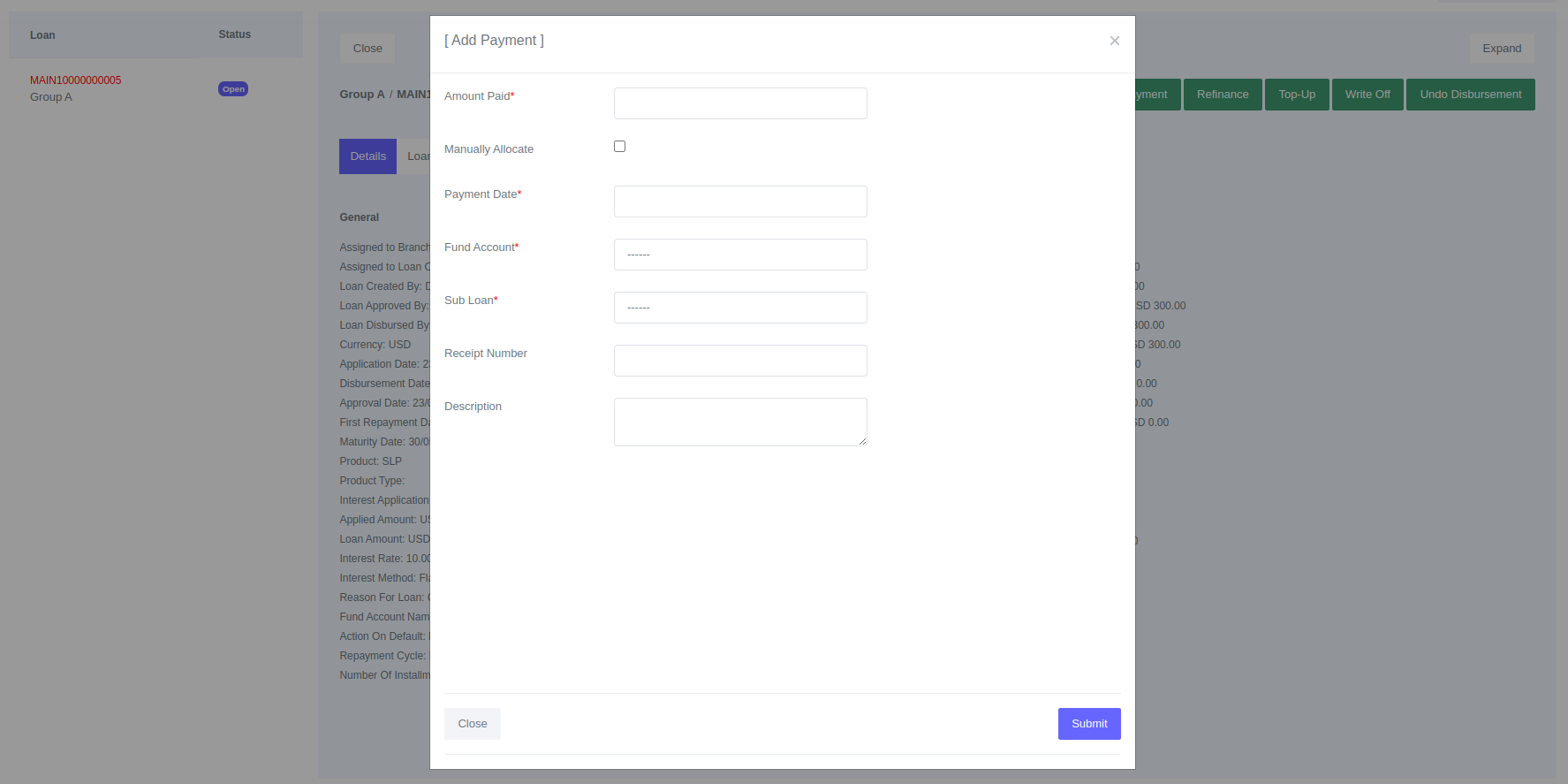
- Click Submit
Fields for Payment
| Field | Description |
|---|---|
| Amount Paid | Total amount paid by the client |
| Manually Allocate | Override payment distribution set on the loan product |
| Payment Date | Provide the date on which the payment was received from the client |
| Fund Account | General ledger account that received payment from the client or payment channel. |
| Sub Loan | Member of the goup who made the payment |
| Receipt Number | Payment receipt number recorded |
| Description | Payment description |
info
When adding a solidarity group loan payment, the payment is associated with the group member (sub loan) who made the payment. Under the group loan profile, you can view each group member's balances separately.