Refinance
Refinancing is the process of replacing an existing loan with a new loan. Refinancing is usually done to take advantage of more favorable terms, such as a lower interest rate, reduced monthly payments, or a longer period of time to repay the loan. Refinance allows you to change all the loan terms if necessary including loan product.
When you refinance a loan, you can transfer the principal balance plus some additional amount to a new loan. Old loan interests, penalties and fees can be capitalized or written off on the new loan. When a loan is refinanced, the outstanding balance of the old loan is paid off.
To refinance a loan:
- Go to Loans>View Loans.
- Filter the loan you want to refinance , in the table, you can click on "Loan Number" to open the details of the loan.
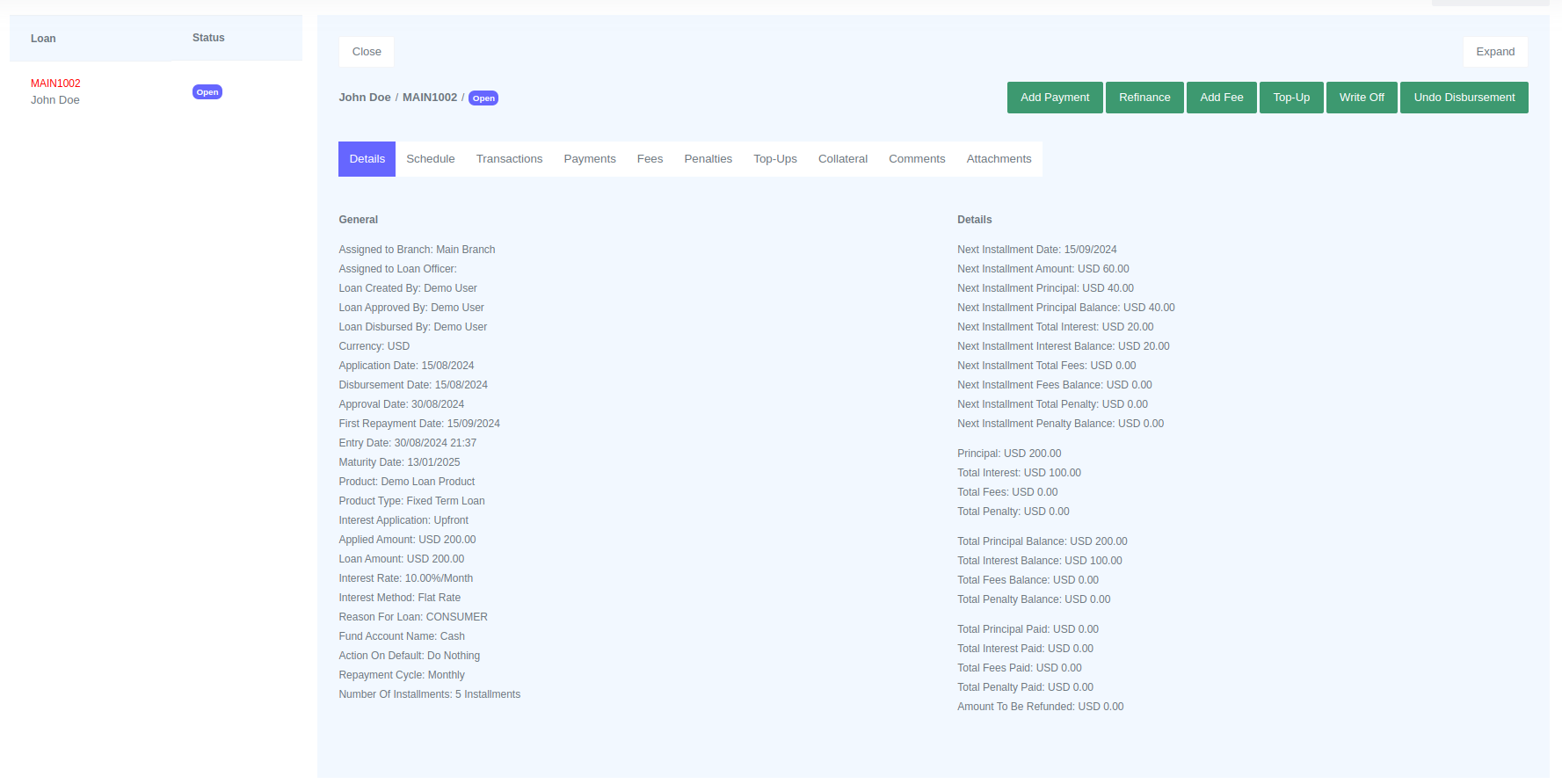
- Click the "Refinance" button and a form will be opened for you to fill.
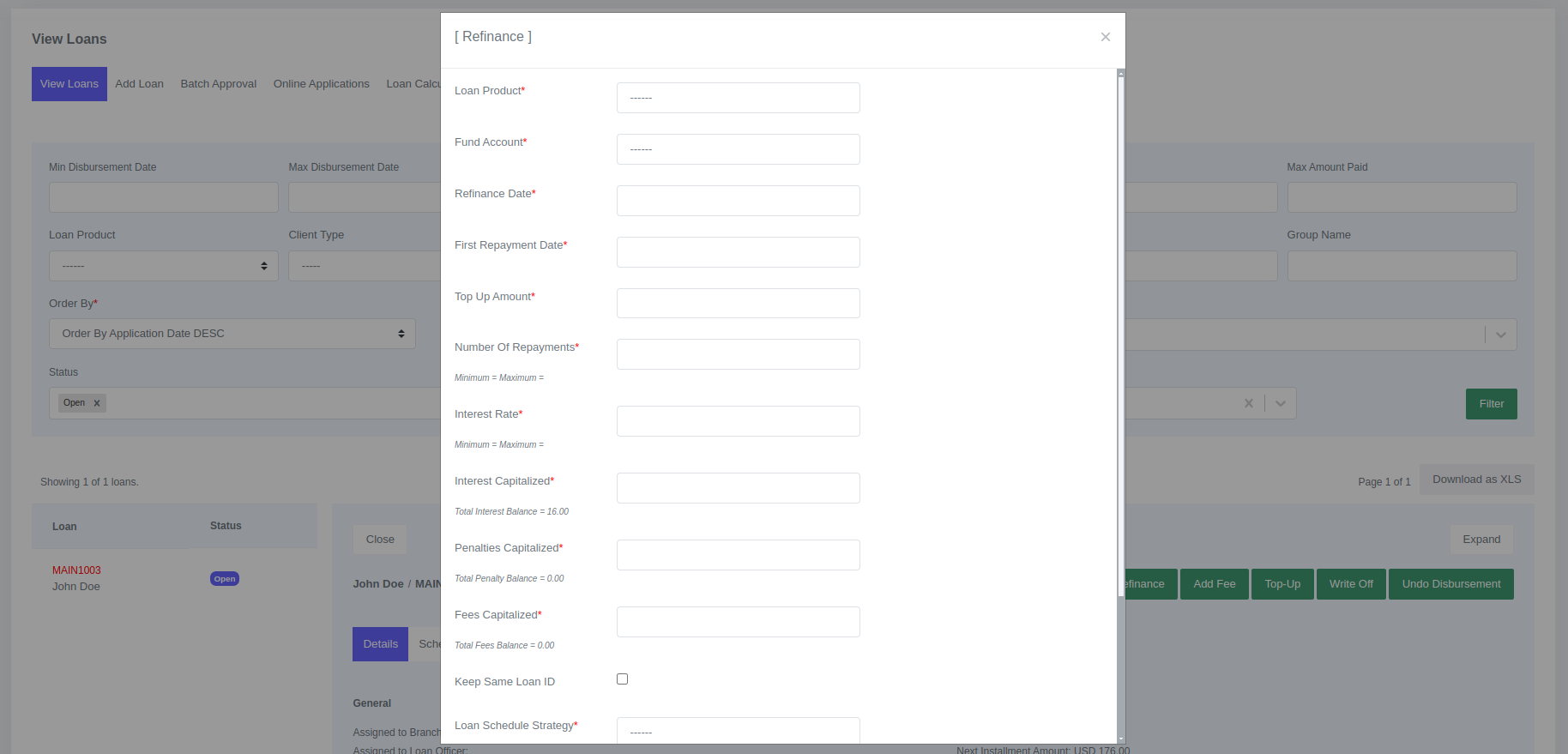

- Click Submit
When you submit this form, a new loan will be created, and your old loan will be closed. The new loan will have a new loan ID, or you can choose to keep the loan ID from your old loan. The status of the old loan will change to "Refinanced".
Fields for Refinance
| Field | Description |
|---|---|
| Loan Product | Select the loan product for the new loan |
| Fund Account | General Ledger account that provides cash |
| Refinance Date | Date on which refinance was processed |
| First Repayment Date | First day we expecting the client to pay |
| Top Up Amount | The amount added to the already outstanding balances as part of the principal for the new loan |
| Number of Repayments | Number of installments on the loan |
| Interest Rate | Loan interest |
| Interest Capitalized | Interest from old loan that is capitalized |
| Penalties Capitalized | Penalties from old loan that is capitalized |
| Fees Capitalized | Fees from old loan that is capitalized |
| Loan Schedule Strategy | Determines the dates to be used for the loan schedule |
| Reason For Loan | Select field for reason for loan |
| Loan Officer & Branch | Assign loan to loan officer |