Roles and Permissions
Roles is a way of grouping permissions together in Lenda. Only a single role can be assigned to a user. Permissions in Lenda determine who can view or perform an action. Permissions are granted to users by administrators. When you create a user, you can either assign individual permissions to that user or group permissions by creating a role and then assigning that role to the user.
List of Permissions
A list of permissions is available in Lenda:
- Admin
- Journal
- Client
- Group
- Expense
- Loan
- Other Income
- Reports
- Can change client controls
- Can add client id template
- Can change client id template
- Can change id template active status
- Can delete client id template
- Can add client type
- Can change client type
- Can delete client type
- Can add group role
- Can change group role
- Can delete group role
- Can add group type
- Can change group type
- Can delete group type
- Can add expense type
- Can change expense type
- Can delete expense type
- Can add collateral type
- Can delete collateral type
- Can change loan controls
- Can add loan fees
- Can change loan fees
- Can delete loan fees
- Can add loan product
- Can change loan product
- Can delete loan product
- Can view loan product
- Can add other income type
- Can change other income type
- Can delete other income type
- Can add branch holiday
- Can change branch holiday
- Can delete branch holiday
- Can view branch holiday
- Can add custom field set
- Can change custom field set
- Can delete custom field set
- Can view custom field set
- Can add user
- Can change user
- Can add staff role
- Can change staff role
- Can delete staff role
- Can add closure
- Can add general ledger account
- Can change general ledger account
- Can delete general ledger account
- Can remove closure
- Can view balance sheet
- Can view cashbook
- Can view cashflow
- Can view general ledger account
- Can view income statement
- Can view ledger
- Can view trial balance
- Can add client
- Can approve client
- Can blacklist client
- Can change client ID
- Can change client type
- Can send sms
- Can view client list
- Can change client
- Can delete client
- Can mark client as left
- Can reject client
- Can transfer client
- Can undo client approval
- Can remove client from blacklist
- Can undo client rejection
- Can undo mark as left
- Can view client
- Can add group
- Can approve group
- Can blacklist group
- Can view group list
- Can change group
- Can delete group
- Can reject group
- Can undo group approval
- Can undo group blacklist
- Can undo group rejection
- Can view group
- Can add expense
- Can delete expense
- Can add loan
- Can add collateral
- Can add payment
- Can add penalty
- Can add manual fees
- Can approve and reject loan
- Can view loans list
- Can change loan
- Can delete loan
- Can delete collateral
- Can delete payment
- Can delete penalty
- Can disburse loan
- Can do early settlement
- Can lock penalties
- Can reduce penalty
- Can refund
- Can reverse fee
- Can undo disbursement
- Can undo write off
- Can undate payment
- Can view loan
- Can write off
- Can add other income
- Can delete other income
- Can create data export report
- Can view ageing analysis
- Can view audit report
- Can view clients report
- Can view credit report
- Can view daily report
- Can view dashboard
- Can view disbursement report
- Can view fees report
- Can view installments report
- Can view loan product report
- Can view loans report
- Can view monthly report
- Can view officer report
- Can view par
- Can view payments report
- Can view top borrowers
Creating a role
- Go to Admin > Manage Staff > Staff Roles and Permissions.
- Click on "Add Staff Role" button.

- A form will be opened for you to fill out. Select the permissions you want to assign to the role.
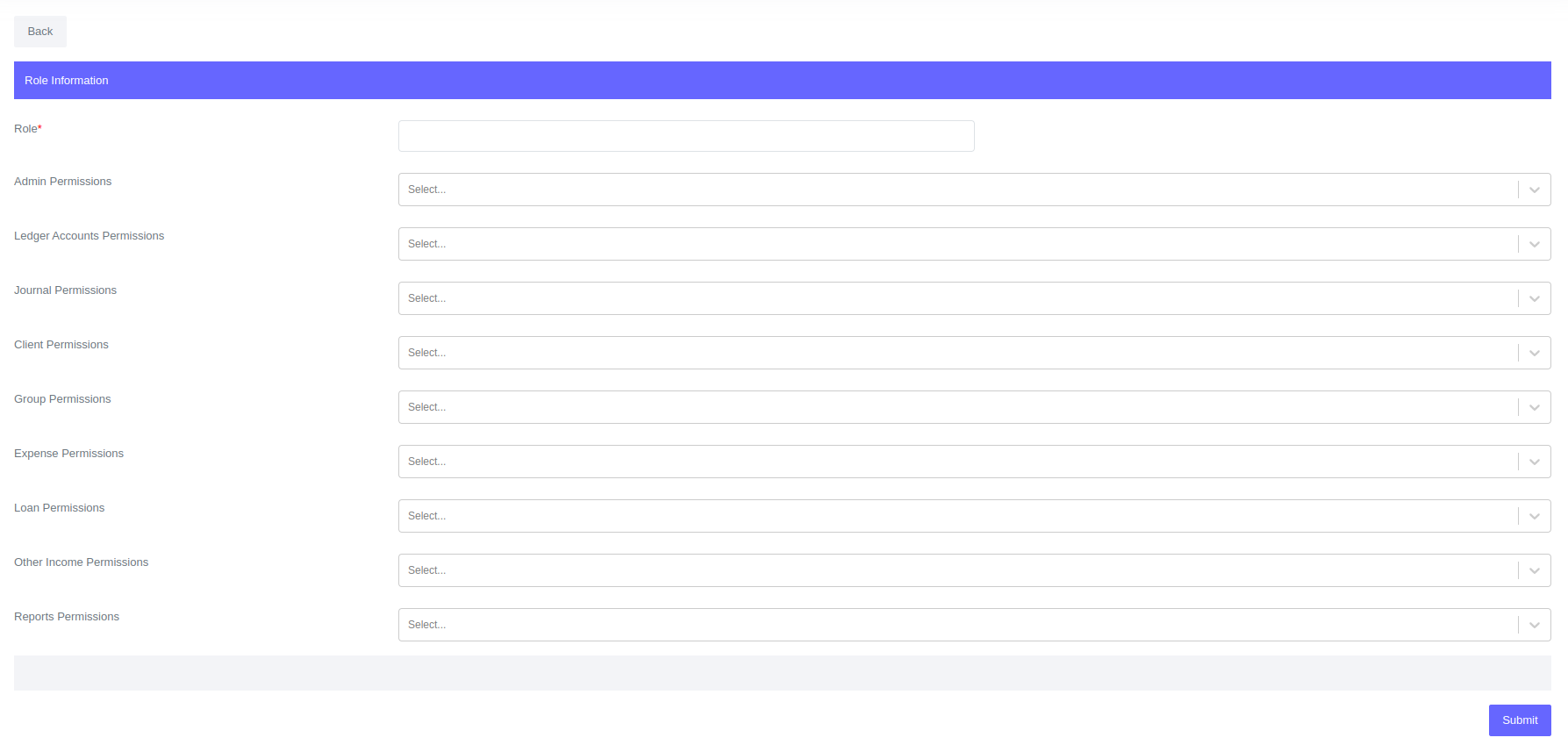
- Click Submit
Editing a role
- Go to Admin > Manage Staff > Staff Roles and Permissions.
- Click on the staff role you want to edit and the system will redirect to the role profile.
- Click on the "Edit" button to open the form.
- Edit the role and click submit.
warning
Once a role is created, you can't delete it. However, you can edit the role.