Clients Types
This page provides instructions on how to create, modify, and remove client types. During the creation process, each individual client must be allocated a client type. You can create as many client types as needed.
Creating Client Types
How to create a new client type:
- Go to Admin > Manage Clients > Client Types.
- To open the form, simply click on the "Add Client Type" button.

- Enter all the information required in the form.
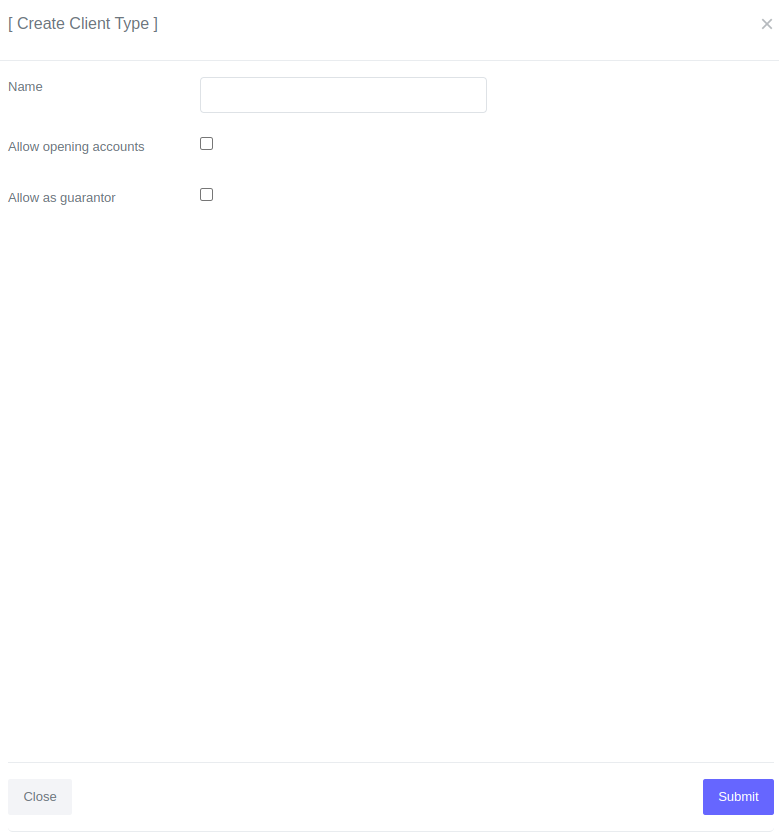
- Click Submit.
Once you have created a new client type it will be available in the table of client types. 
Fields for Client Types
| Field | Description |
|---|---|
| Name | Name of the client type e.g. Teacher, Vendor, etc.. |
| Allow opening accounts | By selecting this option, the client type will have the ability to open loan accounts. |
| Allow as guarantor | The selection of this option determines whether a client with this client type can be assigned as a guarantor for a loan. |
Editing and deleting client types
To edit or delete a client type:
- Go to Admin > Manage Clients > Client Types.
- Filter the loan you want to delete.
- In the table, you can click on "Loan_Number" of the loan you want to delete.

Please Note
Client types that are currently in use cannot be deleted.